I was asked by a reader to post an article about using subprograms. Although this is a pretty simple subject, it made me realize that not everyone is familiar with the use of subprograms and subroutines. I will also touch on the use of Hurco’s conversational NC Merge capability, which is powerfully simple and very useful!
For those who may not be aware, subprograms are separate independent programs that can be called from within a main program and are often used for things such as repeating features, running the same program at several different locations, or basically whenever it makes sense to have a “canned” program ready to run whenever you need to call it into action.
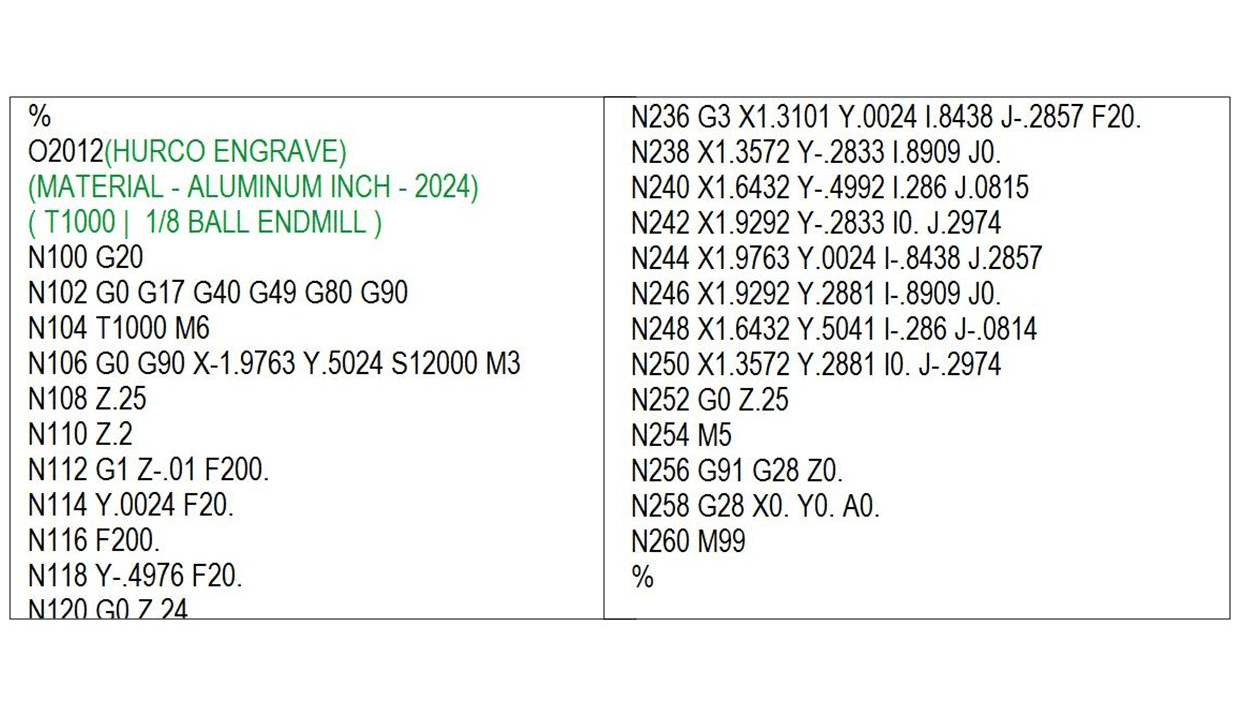
Most NC or G-code programs begin with a program number that usually consists of a string of four numbers and is preceded by either a letter “O” or a colon block (:). This program number can be used to call our subprogram into action whenever it is necessary by simply inserting an M98 into the main program. If we wanted to call the example program below as a subprogram, we would simply insert a line of code in the main program that would read: M98 P2012. You will also need to replace the M2 or M30 that is usually used to end an NC program with an M99. The M99 tells the control that the subprogram has ended and returns the control back to the original main program. The programmer can repeat this procedure as many times as necessary to complete their task, and the same subprogram can be called an unlimited number of times.
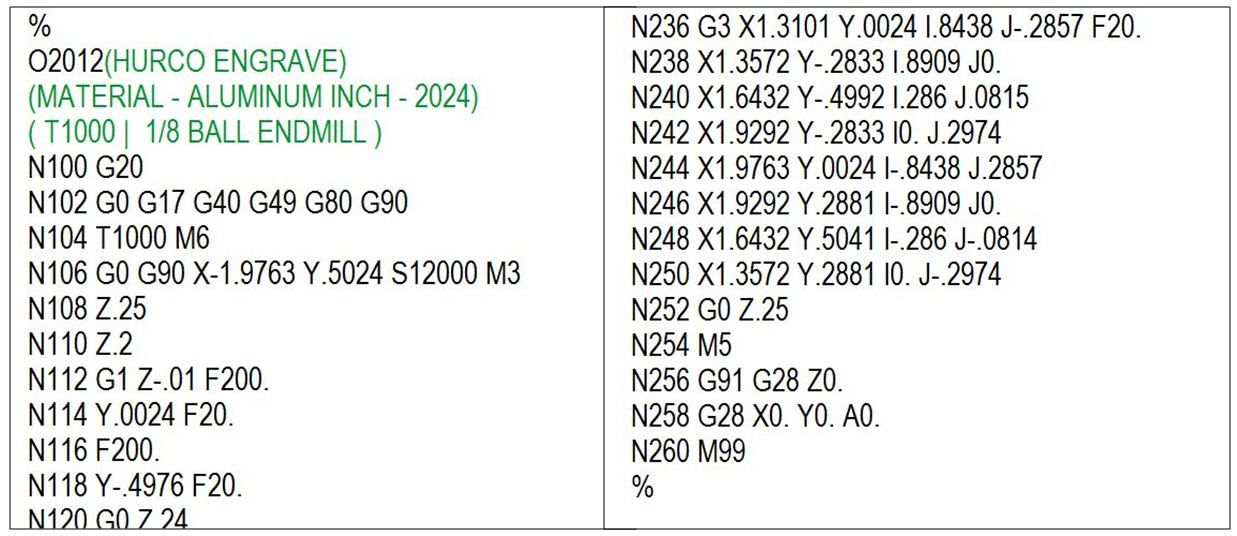
In addition to calling a separate program as a subprogram, we can also “nest” the subprogram at the end of the main program, so everything is neatly contained within one single data file. The format of both the main program and subprogram are exactly the same as if they were separate files, but the nested program must be positioned after the typical M2 or M30 that is used to end the original main program.
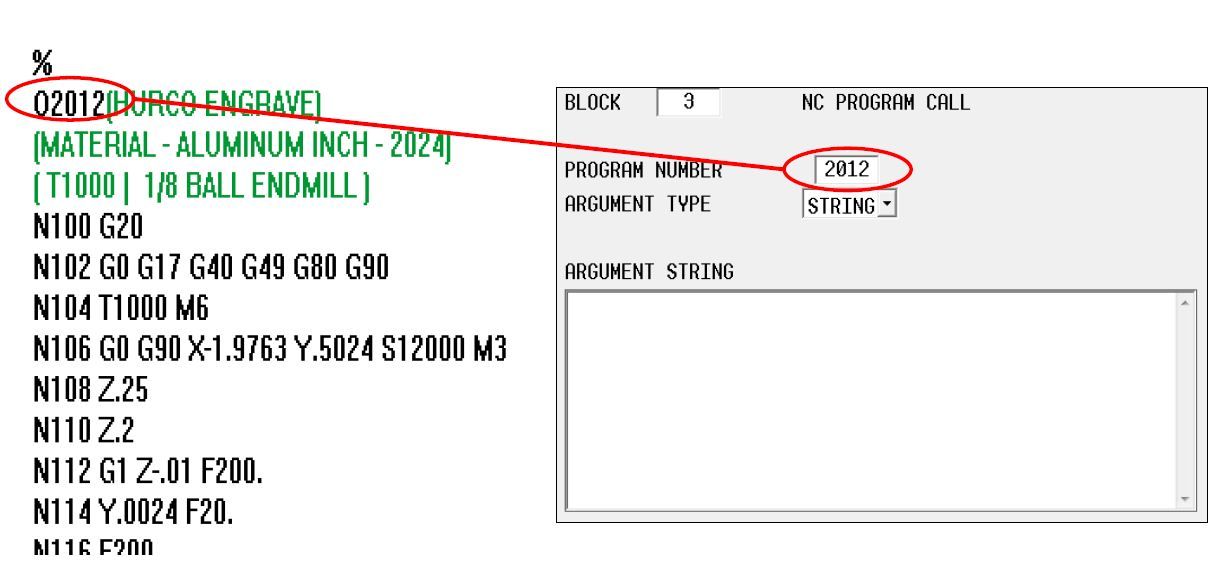
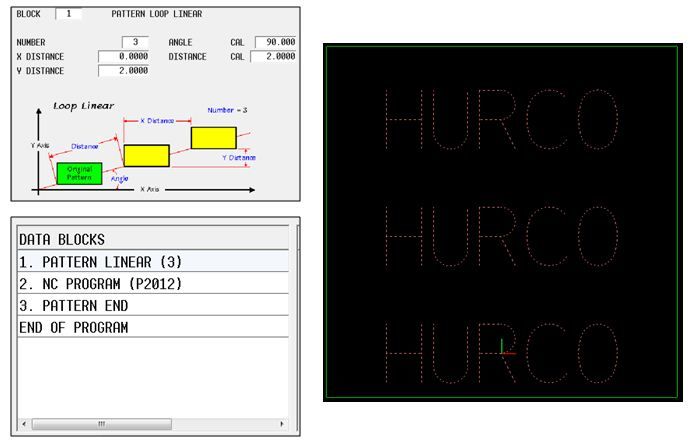
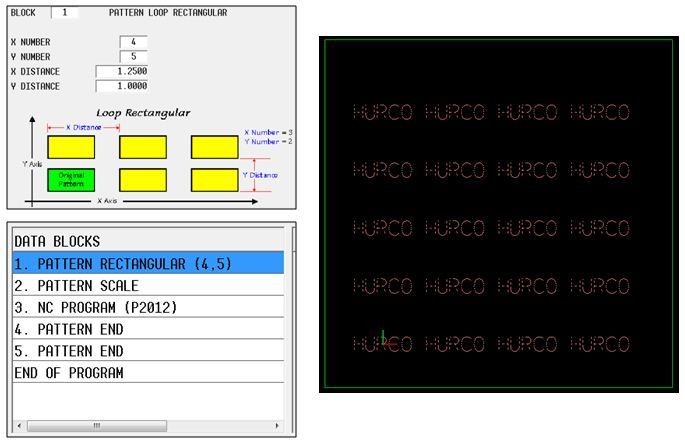
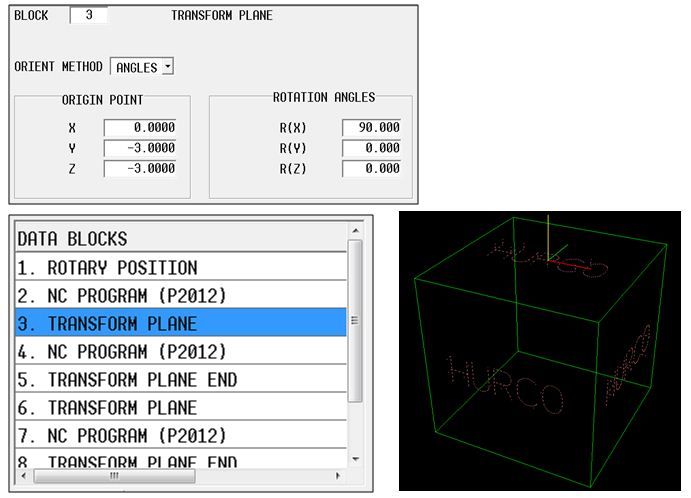
I mentioned in the opening paragraph that NC subprograms can also be used with a Hurco WinMax conversational program using a feature called NC Merge. The procedure is pretty much the same as NC, except we will be calling the subprogram from a conversational block instead of inserting the M98 G-code call. The NC Merge data block can also be used with conversational patterns and 5-axis Transform Plane blocks to position features, giving the programmer an easy solution to complex problems.
Find more helpful resources, such as training videos and webinars here.
Find Resources